
Note
Go to the end to download the full example code.
Filtering and Plotting Field Lines#
Classify field line output and plot subsets of traces.
This example demonstrates how to use the get_fieldline_polarity() function
to classify tracing output into the following categories:
Open field lines connected to positive polarity regions at the domain inner boundary
Open field lines connected to negative polarity regions at the domain inner boundary
Closed field lines
Disconnected field lines
Field lines that failed to fully resolve within the tracing buffer size
These classifications can then be used to filter and visualize subsets of the traced field lines within distinct 3D plots.
import os

import numpy as np
from psi_io import np_interpolate_slice_from_hdf


import matplotlib
import matplotlib.pyplot as plt

from mapflpy.tracer import Tracer
from mapflpy.utils import plot_traces, get_fieldline_polarity, plot_sphere
from mapflpy.data import fetch_cor_magfiles
from mapflpy.globals import Polarity
Load in the magnetic field files and instantiate the Tracer
magnetic_field_files = fetch_cor_magfiles()
tracer = Tracer(*magnetic_field_files)
Here we create a set of 128 launch points arranged in a ring at r=15 Rsun and theta=pi/2 (equatorial plane).
r = 15.0  # Rs
t = np.pi / 2
p = np.linspace(0, 2 * np.pi, 128, endpoint=False)

rr, tt, pp = np.meshgrid(r, t, p, indexing='ij')
launch_points = np.column_stack((rr, tt, pp))[0,...]

traces = tracer.trace_fbwd(launch_points=launch_points)
The get_fieldline_polarity() function is used to classify the traces;
the result of this operation yields an array of Polarity enum values
(where the possible values are listed in the table below):
Enum Value |
Integer Value |
Description |
|---|---|---|
|
-2 |
Open field line with negative polarity at inner boundary |
|
-1 |
Closed field line |
|
0 |
Field line that failed to resolve within the buffer size |
|
1 |
Disconnected field line |
|
2 |
Open field line with positive polarity at inner boundary |
To properly classify the field lines, we need to provide the inner and outer radii of the domain and the filepath to the magnetic field file viz. used to determine the polarity at the inner boundary (here the radial component of the magnetic field).
Note
The atol (“absolute tolerance”) parameter is used to determine whether a field line
footpoint is sufficiently close to the inner or outer boundary to be considered “anchored” there.
This keyword argument is passed to isclose() when comparing the footpoint radius
to the boundary radii.
polarity = get_fieldline_polarity(1,
                                  30,
                                  magnetic_field_files.br,
                                  traces,
                                  atol=1e-2)
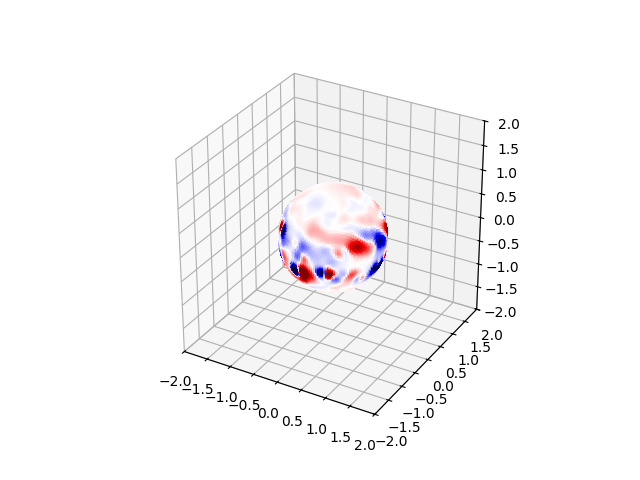
First, we plot the magnetic field sphere at 1 Rsun for context using the
plot_sphere() utility function.
values, theta_scale, phi_scale = np_interpolate_slice_from_hdf(magnetic_field_files.br,
                                                           1.0, None, None,)
ax = plt.figure().add_subplot(projection='3d')
plot_sphere(values.T, 1.0, theta_scale, phi_scale, clim=(-10, 10), ax=ax)
FOV = 2  # Rsun
for dim in 'xyz':
    getattr(ax, f'set_{dim}lim3d')((-FOV, FOV))
ax.set_box_aspect([1, 1, 1])
plt.show()
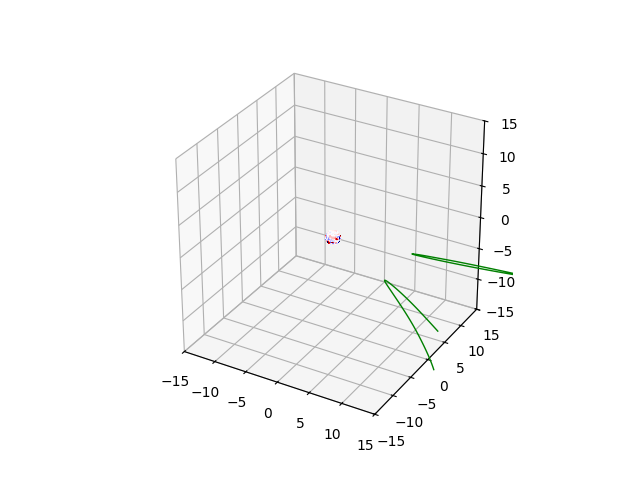
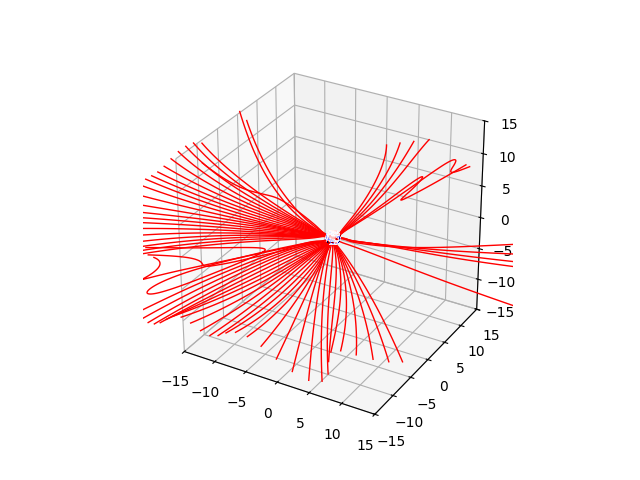
Next, we explicitly iterate over each polarity classification, filter the traces accordingly, and plot the resulting subset of field lines in a distinct 3D plot.
polarity_mapping = {
    Polarity.R0_R1_NEG: 'blue',
    Polarity.R0_R0: 'grey',
    Polarity.ERROR: 'black',
    Polarity.R1_R1: 'green',
    Polarity.R0_R1_POS: 'red',
}

for p, color in polarity_mapping.items():
    pmask = (polarity == p)
    if np.any(pmask):
        print(f'Polarity {p.name}: {np.sum(pmask)} field lines')
        ax = plt.figure().add_subplot(projection='3d')
        plot_traces(traces.geometry[...,pmask], ax=ax, color=color)
        plot_sphere(values.T, 1.0, theta_scale, phi_scale, clim=(-10, 10), ax=ax)
        FOV = 15  # Rsun
        for dim in 'xyz':
            getattr(ax, f'set_{dim}lim3d')((-FOV, FOV))
        ax.set_box_aspect([1, 1, 1])
        plt.show()
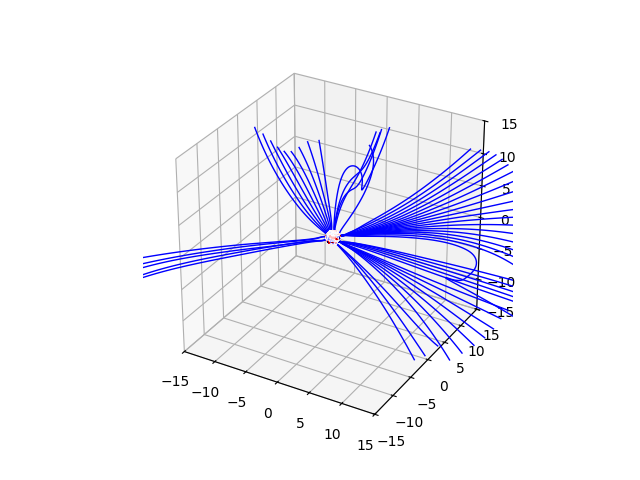

Polarity R0_R1_NEG: 53 field lines
Polarity R0_R0: 7 field lines
Polarity R1_R1: 2 field lines
Polarity R0_R1_POS: 66 field lines
Total running time of the script: (0 minutes 10.342 seconds)