
Note
Go to the end to download the full example code.
Instantiating a Plot3d Object#
This example demonstrates how to create an instance of the Plot3d class, add and remove actors, and display results in an interactive visualization window.
from __future__ import annotations

from pyvisual import Plot3d
Note
As stated throughout the pyvisual documentation site, it is highly recommended to explore the PyVista documentation to learn about the extensive capabilities provided by the PyVista and VTK libraries. pyvisual is but a thin wrapper around a small subset of these capabilities, and thus, learning about the underlying libraries will allow you to make the most of pyvisual.
The Plot3d class inherits from Plotter and, therefore, can be instantiated
with the arguments articulated in the linked documentation, e.g. applying a colored border
to the visualization window, setting the lighting scheme, or using off-screen rendering.
Once instantiated, the Plot3d object can be used to add actors/meshes to the scene. Here we
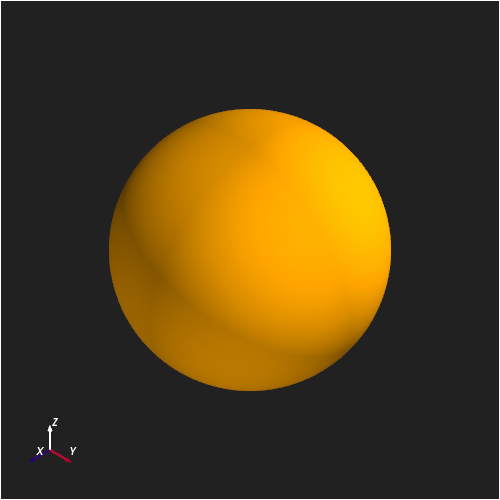
add axes (to display the coordinate system) and a sun (a “reference” sphere, centered
at the origin, with radius 1 \(R_\odot\)). By calling the show()
method, we can display the scene in an interactive window.
plotter = Plot3d(
    off_screen=True,
    border=True,
    border_color="white",
    lighting="three lights",
    window_size=(500, 500),
)

plotter.show_axes()
sun_actor = plotter.add_sun()
plotter.show()
By capturing the returned result of the add_sun() method,
we can manipulate the sun actor after it has been added to the scene. For example, we can
remove it from the scene and then add it back again.
Total running time of the script: (0 minutes 1.108 seconds)