
Note
Go to the end to download the full example code.
Constructing a SphericalMesh#
This example demonstrates the three ways to initialise a
SphericalMesh:
From an HDF file path — pass the path directly; the constructor calls
read_hdf_by_index()internally. Additional positional arguments after the path are forwarded as index arguments to the file reader.From data arrays — read the file manually with
read_hdf_by_index(), then pass the coordinate arrays and data to the constructor.From an existing
SphericalMesh— pass another mesh instance to produce a shallow copy.
All three routes produce an equivalent mesh; the choice depends on how much control over the read step you need. Real coronal magnetic field data \(B_r\) from a PSI MAS standard run for Carrington Rotation 2309 (CR 2309) is used throughout.
from __future__ import annotations

from psi_data import fetch_mas_data
from psi_io import read_hdf_by_index

from pyvisual import Plot3d
from pyvisual.core.mesh3d import SphericalMesh

br_file = fetch_mas_data(domains="cor", variables="br").cor_br
From an HDF File Path#
Passing a file path as the first argument triggers the file-path dispatch
path: the constructor calls read_hdf_by_index() on the path,
loading both the scalar data and the three coordinate grids. Positional
arguments after the path are forwarded to read_hdf_by_index()
as index arguments, controlling which portion of the grid is loaded
(see the function documentation for details).
Here no index arguments are supplied, so the full 3-D coronal domain is loaded (\(r \times \theta \times \phi\)).
mesh_from_path = SphericalMesh(br_file)

print(f"dimensions : {mesh_from_path.dimensions}")  # noqa: T201
print(f"r range    : [{mesh_from_path.r.min():.2f}, {mesh_from_path.r.max():.2f}] R_sun")   # noqa: T201
print(f"t range    : [{mesh_from_path.t.min():.4f}, {mesh_from_path.t.max():.4f}] rad") # noqa: T201
print(f"p range    : [{mesh_from_path.p.min():.4f}, {mesh_from_path.p.max():.4f}] rad") # noqa: T201
print(f"data range : [{mesh_from_path.data.min():.4f}, {mesh_from_path.data.max():.4f}] MAS Units") # noqa: T201
dimensions : (255, 142, 299)
r range    : [1.00, 30.42] R_sun
t range    : [0.0000, 3.1416] rad
p range    : [0.0000, 6.2832] rad
data range : [-38.1425, 33.6160] MAS Units
From Data Arrays#
When you need to pre-process the arrays before constructing the mesh —
for example to apply a coordinate transform or inspect the raw values —
call read_hdf_by_index() yourself and pass the results
directly to the constructor. The coordinate arrays go in as the first three
positional arguments (r, t, p); the scalar values are supplied
via the data keyword.
data, r, t, p = read_hdf_by_index(br_file)

mesh_from_arrays = SphericalMesh(r, t, p, data=data, dataid="Br")

# Dimensions and data range are identical to the file-path route.
print(f"dimensions match : {mesh_from_arrays.dimensions == mesh_from_path.dimensions}") # noqa: T201
print(f"data allclose    : {(mesh_from_arrays.data == mesh_from_path.data).all()}") # noqa: T201
dimensions match : True
data allclose    : True
From an Existing SphericalMesh#
Passing an existing SphericalMesh (or any
pyvista.DataSet) produces a shallow copy — both objects share the
same underlying data buffers. Pass deep=True for an independent copy.
mesh_from_mesh = SphericalMesh(mesh_from_path)

print(f"dimensions match : {mesh_from_mesh.dimensions == mesh_from_path.dimensions}")       # noqa: T201
dimensions match : True
Visualising the Mesh#
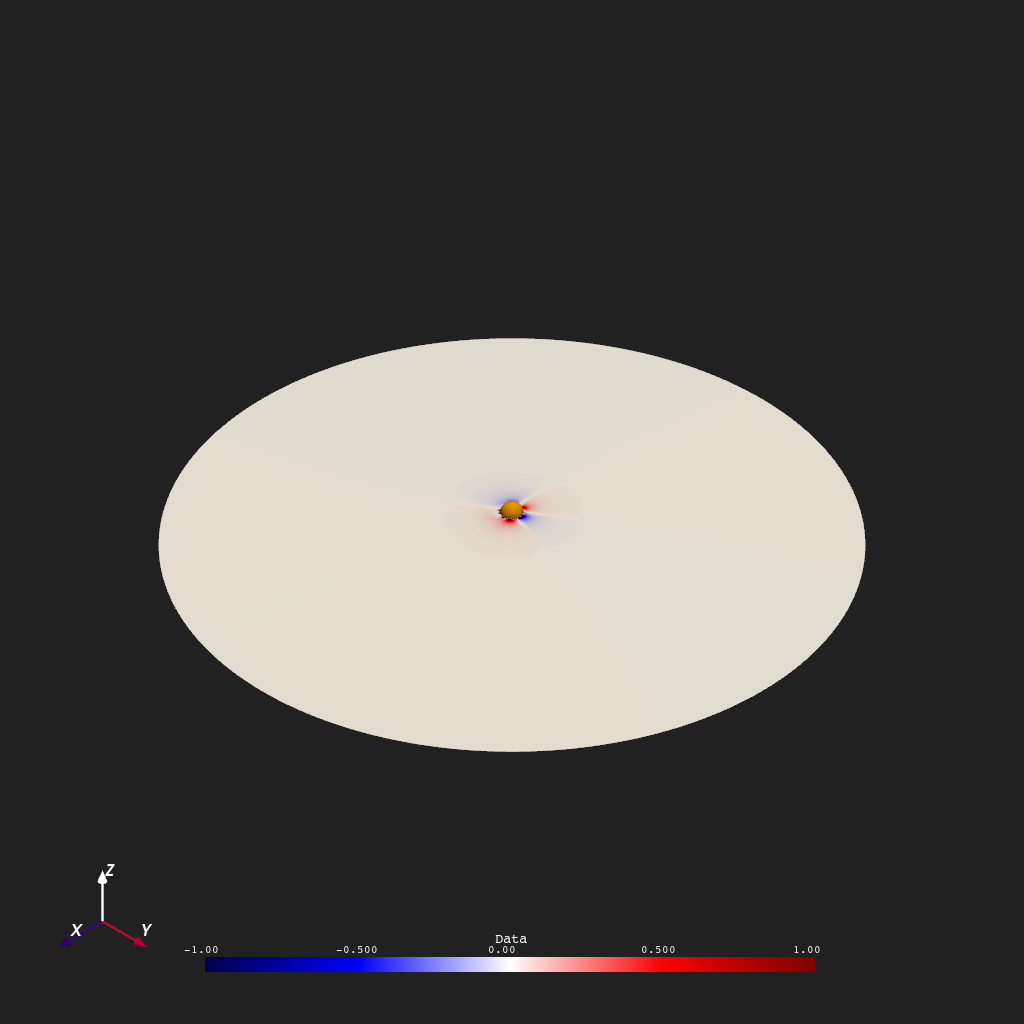
All three meshes are equivalent. Here the equatorial plane is extracted
by slicing the theta axis (\(\theta_{71} \approx \pi/2\)) and rendered
as a 2-D surface colored by \(B_r\). The MESH_FRAME tag stored in
user_dict tells Plot3d to convert
spherical coordinates to Cartesian automatically before rendering.
equatorial = mesh_from_path[:, 71, :]

plotter = Plot3d()
plotter.show_axes()
plotter.add_sun()
plotter.add_mesh(equatorial, cmap="seismic", clim=(-1, 1), show_scalar_bar=True)
plotter.show()
Total running time of the script: (0 minutes 0.889 seconds)