
Note
Go to the end to download the full example code.
Interactive Fieldline Tracer#
This example builds a two-panel interactive scene for exploring coronal magnetic
connectivity. The top panel displays a longitude–latitude map of \(B_r\)
at \(r = 1\,R_\odot\); right-clicking any point triggers a callback that
constructs a \(5 \times 5\) grid of launch points spanning
\(\pm 1^\circ\) around the selection, traces fieldlines forward from
those seeds via Tracer, and renders the result in the
bottom 3-D panel. A rolling buffer of BUFFER_SIZE named actor groups
keeps the scene from accumulating unbounded trace bundles.
Note
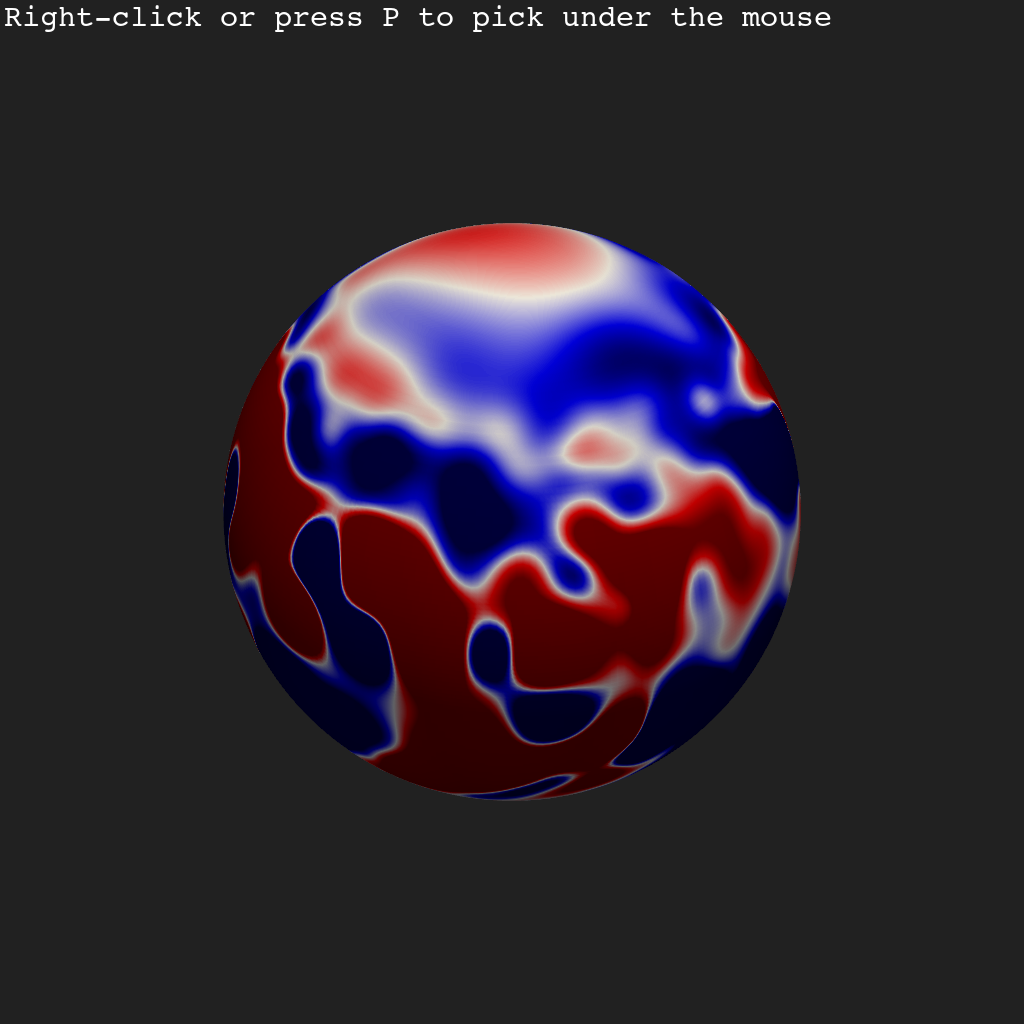
This example requires an interactive VTK window. The Sphinx-Gallery thumbnail shows only the initial unpicked scene; run the script locally to use the tracer.
See also
- Plotting Magnetic Fieldlines
Introduction to
add_fieldlines()and fieldline coloring strategies.- Polarity-Inversion-Line Seeded Fieldlines
Seeding fieldlines from the polarity inversion line using a
SphericalMeshcontour.- Combining Slices, Contours, and Fieldlines
Layering slices, contours, and fieldlines in a single coronal scene.
from __future__ import annotations

import numpy as np
import pyvista as pv
from mapflpy.tracer import Tracer
from psi_data import fetch_mas_data
from psi_io import np_interpolate_slice_from_hdf

from pyvisual import Plot3d, SphericalMesh
Load Data#
psi_data.fetch_mas_data() returns paths to the CR 2309
coronal field components \((B_r, B_\theta, B_\phi)\).
np_interpolate_slice_from_hdf() interpolates a 2-D
\((\theta, \phi)\) shell of \(B_r\) at radial index 1
(\(r = 1\,R_\odot\)) and returns the scalar array with its coordinate axes.
data = fetch_mas_data(domains="cor", variables=["br", "bt", "bp"])
br, *scales = np_interpolate_slice_from_hdf(data.cor_br, 1, None, None)
br_t, br_p = scales
Initialise the Tracer and Buffer Parameters#
Tracer is constructed once so the HDF field files
are loaded only once rather than on every pick. DELTA sets the
half-width of the launch-point neighbourhood to
\(1^\circ = \pi/180\,\mathrm{rad}\), and BUFFER_SIZE controls
how many trace bundles are kept in the scene at any time.
Define the Pick Callback#
pyvista.Plotter.enable_point_picking() passes the picked
\((r, \theta, \phi)\) to _plotter_callback. The callback stamps the
coordinates as a text overlay in subplot (0, 0), then builds a
\(N_\mathrm{pts}^2 = 25\) launch-point grid via numpy.meshgrid()
spanning \([\theta \pm \Delta] \times [\phi \pm \Delta]\) at fixed
\(r\). trace_fwd() returns geometry of
shape \((M, 3, N)\); numpy.swapaxes() transposes it to
\((3, M, N)\) for add_fieldlines().
The actor name cycles modulo BUFFER_SIZE so PyVista replaces older
bundles rather than accumulating them.
def _plotter_callback(pt):
    plotter.subplot(0, 0)
    plotter.buffer += 1
    r, t, p = pt
    plotter.add_text(
            f"Selected Point: r={r:.2f}, t={t:.2f}, p={p:.2f}",
            name="picked_point_text",
            color="cyan",
            font_size=12,
            position="lower_right",
    )

    rr, tt, pp = np.meshgrid(
            r,
            np.linspace(t - DELTA, t + DELTA, NPOINTS),
            np.linspace(p - DELTA, p + DELTA, NPOINTS),
            indexing="ij",
    )
    lps = np.stack((rr.ravel(), tt.ravel(), pp.ravel()), axis=0)
    fieldlines, *_ = tracer.trace_fwd(launch_points=lps)

    plotter.subplot(1, 0)
    plotter.add_points(*lps, color="white", point_size=7, name="Launch Points")
    plotter.add_fieldlines(
            *np.swapaxes(fieldlines, 1, 0),
            np.arange(lps.shape[1]),
            cmap="hsv",
            name=f"Fieldlines{plotter.buffer % BUFFER_SIZE}",
            show_scalar_bar=False,
            line_width=5,
    )
Build and Launch the Scene#
shape=(2, 1) stacks two panels vertically. The bottom panel (1, 0)
holds a non-pickable 2-D \(B_r\) shell as a fieldline backdrop. The top
panel (0, 0) holds a SphericalMesh of the
same data as the interactive picking surface — user_dict is cleared to
preserve the native \((\theta, \phi)\) coordinate layout that the
callback expects. pyvista.set_new_attribute() attaches the buffer
counter to the plotter for use inside the callback closure.
plotter = Plot3d(shape=(2, 1))
pv.set_new_attribute(plotter, "buffer", 0)

plotter.subplot(1, 0)
plotter.add_2d_slice(
    1, br_t, br_p, br, clim=(-10, 10), cmap="seismic", show_scalar_bar=False, pickable=False
)

plotter.subplot(0, 0)
longlat_map = SphericalMesh(1, br_t, br_p, data=br)

# Must clear the user_dict's ``MESH_FRAME`` tag so the ``add_mesh`` function doesn't try to
# convert the coordinates from spherical to cartesian — the callback expects the native
# (r, t, p) layout for the picks and launch points.
longlat_map.user_dict.clear()

plotter.add_mesh(longlat_map, clim=(-10, 10), cmap="seismic", show_scalar_bar=False, pickable=True)
plotter.add_axes()

# Adjust the longitude-latitude display so that it is oriented in a way that directly maps
# to the lower panel's :math:`B_r` shell.
plotter.view_yz()
plotter.camera.up = 1, -1, 0

plotter.enable_point_picking(
    _plotter_callback, color="cyan", font_size=12, point_size=8, render_points_as_spheres=True
)

plotter.show()
Total running time of the script: (0 minutes 0.672 seconds)